If you want to remove yourself from someone’s Snapchat Friend Solar System, first understand what the feature controls. Snapchat does not provide a simple button that lets you delete your planet position from another person’s Best Friends list while guaranteeing that everything else stays the same. You can turn off the Solar System feature for your own view, change how you interact with the person, or remove or block them—but these actions have different effects.
Turning off Friend Solar System is the least disruptive place to start if you simply do not want to see planet badges. It should not be treated as a guaranteed way to erase your position from another person’s view or directly reset their Best Friends ranking. Snapchat does not publish a complete ranking formula or a guaranteed refresh schedule, so avoid relying on tricks that promise an instant planet change.
My Personal Experience with the Snapchat Solar System
People may want to change their Solar System experience for privacy, comfort, or relationship reasons. You do not need to follow a secret trick or repeatedly change settings. The right step depends on whether you want to stop seeing planet badges, reduce contact with someone, or end the Snapchat friendship altogether.
Before making a change, decide what outcome you actually want. If you only want the planets out of sight, review the Snapchat+ feature settings. If you want less contact, mute notifications or reduce interaction. If you no longer want the person on your Friends list, use Snapchat’s remove-friend option. Blocking is a stronger action and may prevent normal contact.
For more context, see our guide to who can see your Snapchat Planets and the explanation of Snapchat Best Friends versus Planets.
What Exactly is the Friend Solar System?
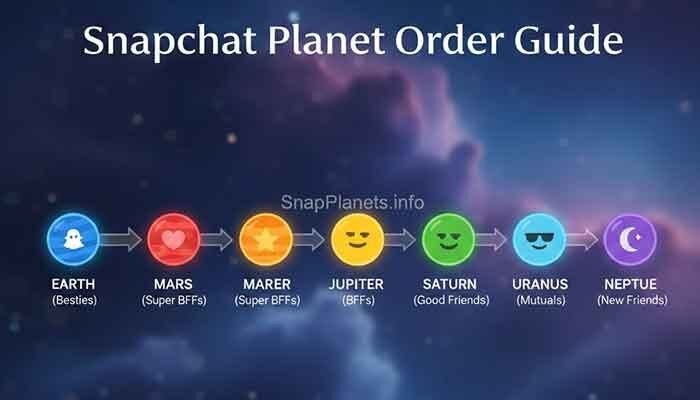
Friend Solar System is a Snapchat+ feature that represents your position in a friend’s Best Friends list with a planet. Mercury represents the first position, followed by Venus, Earth, Mars, Jupiter, Saturn, Uranus, and Neptune in eighth place. The planet you see on a friend’s profile reflects your position in that person’s list; it does not automatically tell you your position in their list from your own perspective in every context.
Snapchat does not publish an exact point system for the rankings. It is not possible to calculate a guaranteed planet change from a set number of Snaps, chats, or Story views. Friend Solar System is also separate from Snapstreaks and Friend Emojis. A streak or a heart emoji does not guarantee a particular planet.
How to Remove Yourself from Friend Solar System (The Subtle Way)
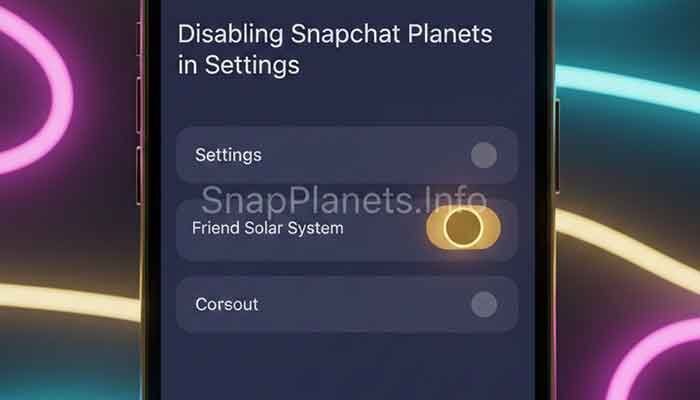
If your aim is to stop seeing the planets, check the Solar System control in Snapchat+. Menu placement can vary by app version, so look in the Snapchat+ feature settings. Turning off the feature changes your own experience; do not assume it automatically removes you from the other person’s Best Friends ranking.
1. The “Cold Turkey” Communication Strategy
You can choose to interact less with someone, but there is no guaranteed timetable for a planet to change. Reducing contact may affect the Best Friends relationship over time, yet Snapchat does not document an exact formula or promise that a specific action will move you out of a person’s top eight. Do not use silence as a test of whether someone cares about you.
If you need space, it is usually clearer to set a boundary than to try to manipulate a ranking. You can also remove the person as a friend if that is what you intend. Read how to unfriend someone on Snapchat before choosing that option.
2. Muting Notifications (The “Out of Sight, Out of Mind” Trick)
Muting notifications can reduce interruptions from a conversation, but it does not directly reset Friend Solar System or remove you from someone’s ranking. Use notification controls if you want fewer alerts without ending the friendship. You can still open Snapchat and communicate when you choose.
Mute settings affect alerts, not a documented planet-ranking switch. If you are trying to stop checking the badge, turning off your own Solar System view and reducing notifications may help you spend less time focused on it.
Understanding Snapchat Plus Privacy Settings
Snapchat+ includes the Friend Solar System feature, and subscribers can manage whether they use the Solar System view. To check it, open your profile, enter the Snapchat+ section, and look for the Solar System option. The exact labels and layout can change, so follow the current in-app controls rather than relying on an old screenshot.
Keep two questions separate: whether you can see planet badges and whether you appear in another person’s Best Friends ranking. Turning the view off on your account should not be described as a guaranteed way to remove your position from someone else’s view. For subscription details, see our Snapchat+ FAQ.
The “Soft Reset” Method
There is no officially documented button that resets your Friend Solar System rank instantly. Clearing a conversation, restarting the app, logging out, or reinstalling Snapchat should not be presented as a ranking reset. These actions may help with an app problem, but they do not guarantee a change in Best Friends order.
If a planet badge is missing or seems stuck, check the subscription and feature setting, update the app, and reopen the profile. Our guide to resetting Snapchat Planets explains what troubleshooting can and cannot do.
Why “Ghost Mode” Won’t Help You Here
Snap Map Ghost Mode controls whether your location is shared on the Snap Map. It is not a Friend Solar System control and does not directly remove a planet badge or reset a Best Friends ranking. Use Ghost Mode when you want to limit location sharing, not as a workaround for planet visibility.
Location privacy and friendship rankings are separate settings. If you want to manage who can see your location, review Snap Map privacy controls in Snapchat. If you want to manage planet badges, check the Snapchat+ Solar System setting instead.
Frequently Asked Questions (FAQ)
1. Does clearing a conversation remove me from their Solar System?
No. Clearing a conversation from your chat feed is not a documented way to remove yourself from someone’s Best Friends list or reset their planet ranking. It changes what is displayed in your chat feed, not a guaranteed ranking control.
2. If I leave a group chat with them, does it help?
Leaving a group chat is not a documented shortcut for changing a Friend Solar System position. Group participation should not be treated as a known planet-score switch, because Snapchat does not publish a precise scoring formula. Leave a group if you no longer want to participate, not to force a ranking change.
3. How long does it take to stop being a planet?
There is no publicly documented fixed time. Rankings can change as the Best Friends list changes, but Snapchat does not guarantee a particular number of hours or days. Any guide promising an exact timeline is guessing unless it cites current, official information.
4. Can they see if I’ve “opted out” of their Solar System?
Snapchat does not provide a clear public guarantee that turning off your own Solar System view removes your position from another person’s view or sends a specific opt-out notification. Treat the setting as control over your own feature experience, and consult Snapchat’s current in-app explanation for the latest behavior.
5. Does blocking and immediately unblocking work?
Blocking and unblocking is not a reliable planet-reset trick. Blocking affects the ability to find or contact each other, and unblocking does not guarantee that a previous friendship ranking will be restored or cleared in a particular way. Use blocking for safety or contact boundaries, not to manipulate the Solar System.
Martin’s Final Tip: The Art of the “Slow Fade”
Choose the setting or action that matches your real goal. If you simply do not want to see planet badges, turn off your own Solar System view. If you want fewer interruptions, mute notifications. If you want to end the Snapchat connection, remove the friend or block them as appropriate. These actions are different and should not be confused with a guaranteed ranking reset.
Most importantly, a planet is an app-based position, not a full measure of a relationship. You do not need to engineer your ranking to protect your privacy or peace of mind. Keep your settings intentional and avoid relying on unofficial tricks that promise results Snapchat has not confirmed.