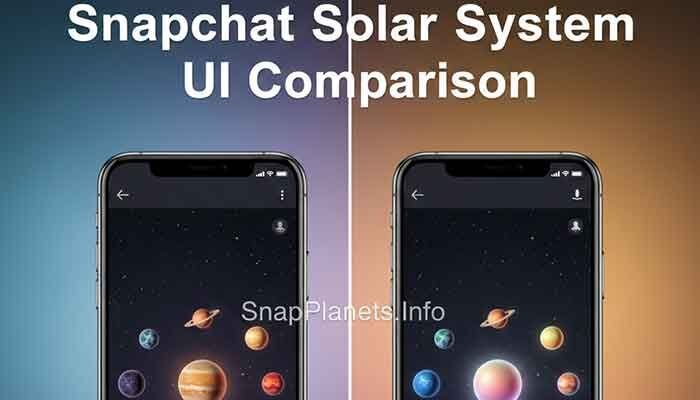
If you use Snapchat on an Android phone and your friend uses an iPhone, you may wonder whether Snapchat Planets work differently on the two platforms. The short answer is: there is no separate Android or iPhone planet-ranking system. The Friend Solar System represents your position in a friend’s Best Friends list, while the way the app looks or feels can vary because of the device, app version, screen, and settings.
That distinction matters because a planet looking slightly different, an animation feeling slower, or a feature appearing at a different time does not automatically mean your Snapchat ranking is different. Here’s what you need to know about Snapchat Planets on Android vs iPhone.
Are Snapchat Planets Different on Android and iPhone?
Not in the way your planet rank is calculated or represented. Snapchat’s Friend Solar System is a Snapchat+ feature. When you open a friend’s Friendship Profile and tap the Best Friends badge, the Solar System shows your position among that friend’s Best Friends.
Snapchat describes Best Friends as the eight friends you Snap and Chat with the most. Each planet represents a different position in that list, from Mercury through Neptune. In other words, the planet is tied to the friendship ranking shown by Snapchat, not to whether you are using Android or iOS.
Android vs iPhone: What Can Actually Look Different?
Although the underlying Friend Solar System feature is the same, the experience can vary between phones. These differences are usually related to the device or software environment rather than a different planet system.
1. Screen and Display Quality
Two phones can display the same Snapchat planet differently because their screens have different resolutions, brightness levels, color profiles, refresh rates, and sizes. A planet may appear sharper or more vibrant on one device without the underlying Snapchat data being different.
2. App Performance
Animation smoothness can depend on the phone model, available memory, processor performance, operating-system version, background activity, and the Snapchat app build installed on the device. A newer flagship Android phone may feel faster than an older iPhone, while a newer iPhone may outperform an older or lower-powered Android phone.
So it is more accurate to compare individual devices than to say that Android is always slower or iPhone is always faster.
3. Snapchat App Version
Android and iPhone users can receive app updates through different stores and may not always install an update at exactly the same moment. Snapchat+ also includes experimental and pre-release features, so feature availability can change over time.
If one phone has a newer Snapchat build, its interface may look different even when both accounts are using the same Snapchat feature. That is an app-version difference, not evidence that one platform has a different planet ranking.
4. Device Settings
Display scaling, text size, battery-saving modes, available storage, permissions, network conditions, and other device settings can affect how an app behaves. If Snapchat looks blurry, loads slowly, or feels less responsive on one phone, checking the device and app settings is more useful than assuming the Solar System ranking has changed.
Does Android Give You a Different Planet Rank?
No. There is no official Snapchat information showing that Android users receive lower or different Friend Solar System rankings simply because they use Android.
Your planet represents a position in the friend’s Best Friends list. If the planet changes, the important question is whether your Snapchat friendship activity and the Best Friends relationship have changed—not whether you switched from an iPhone to an Android phone.
It is also important not to treat an unofficial formula such as a fixed number of snaps, messages, or hours as an exact Snapchat ranking calculation. Snapchat explains what the Solar System represents, but it does not publish a simple public formula that lets users calculate a planet from a specific activity count.
Why Does Snapchat Planets Look Different on Two Phones?
If you compare the same planet on Android and iPhone and notice a visual difference, several ordinary factors can explain it:
- Different display resolutions or color profiles.
- Different phone sizes and aspect ratios.
- Different Snapchat app versions.
- Different operating-system versions.
- Temporary loading or rendering issues.
- Device performance or background-app limitations.
A visual difference does not mean the planet has a different meaning. Mercury is still the first position in the Friend Solar System, while Neptune represents the eighth position.
Does Snapchat+ Work the Same on Android and iPhone?
Snapchat+ is available on both Android and iPhone, but the exact subscription options and price shown can vary by country and device. Snapchat says the price displayed on your device is the price you will be charged, so checking the Snapchat+ screen on your own phone is the best way to confirm current pricing.
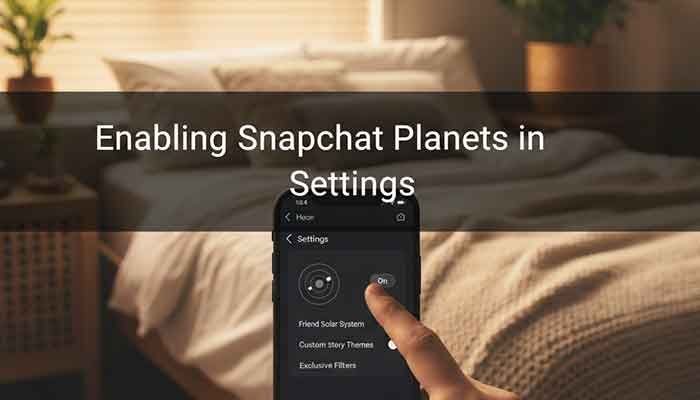
The Friend Solar System is one of the features included with Snapchat+. Snapchat also notes that Solar System is turned off by default for first-time subscribers. If you have Snapchat+ but cannot find the feature, check the Snapchat+ feature management settings before assuming that your phone does not support it.
How to Check Snapchat Planets on Android or iPhone
The basic process is the same on both platforms:
- Make sure you are signed in to the Snapchat account with an active Snapchat+ subscription.
- Open the profile of the friend you want to check.
- Look for the Best Friends badge with the gold ring.
- Tap the badge to open the Friend Solar System.
- View the planet shown for your position in that friend’s Best Friends list.
If Solar System is unavailable, check whether the feature is enabled in Snapchat+ settings. Snapchat says the feature can be turned on or off, so its absence does not automatically indicate an Android compatibility problem.
Android vs iPhone Snapchat Planets Comparison
| Feature | Android | iPhone |
|---|---|---|
| Friend Solar System | Available with Snapchat+ when supported and enabled | Available with Snapchat+ when supported and enabled |
| Planet meaning | Same ranking meaning | Same ranking meaning |
| Best Friends list | Same Snapchat feature | Same Snapchat feature |
| Visual appearance | Can vary by device and app version | Can vary by device and app version |
| Performance | Depends on the individual Android device | Depends on the individual iPhone model |
| Subscription pricing | Shown according to region and device | Shown according to region and device |
Common Questions About Snapchat Planets on Android vs iPhone
Does iPhone have better Snapchat Planets?
There is no official basis for saying that iPhone has a better or more accurate Friend Solar System. An iPhone may look smoother on one device, while a newer Android phone may perform just as well or better. The experience depends on the specific hardware, software, and app version.
Can switching from Android to iPhone change my planet?
Changing phones by itself should not be treated as a way to change your Friend Solar System position. Your planet is connected to the Snapchat friendship ranking represented by the Solar System, not to the phone brand.
Why are my Snapchat planets blurry on Android?
Blurry graphics can have several causes, including display characteristics, app loading problems, device performance, or an outdated app version. Update Snapchat, restart the app, check your device settings, and compare the result after the app has fully loaded.
Why can’t I see Snapchat Solar System?
First check that you have Snapchat+. Snapchat says Solar System is off by default for first-time subscribers, so open the Snapchat+ feature management area and make sure it is enabled. If the option is still missing, check for app updates and confirm that you are using the correct Snapchat account.
Is the planet ranking more accurate on iPhone?
No. The phone platform does not make one version of the Friend Solar System more accurate. A difference in appearance or performance should not be confused with a difference in the underlying friendship ranking.
Bottom Line: Android vs iPhone for Snapchat Planets
Snapchat Planets work fundamentally the same on Android and iPhone. The major thing to remember is that the planet represents your position in a friend’s Best Friends list; it is not a score assigned according to your phone brand.
You may notice differences in appearance, loading speed, animations, or feature availability between two devices, but those differences can come from the phone model, operating system, app version, display, or settings. If your goal is to understand your planet rank, focus on the Friend Solar System and the Best Friends relationship rather than Android versus iPhone.
Pingback: Neptune on Snapchat: What the 8th Friend Planet Means | Neptune Meaning & 8th Friend Explained