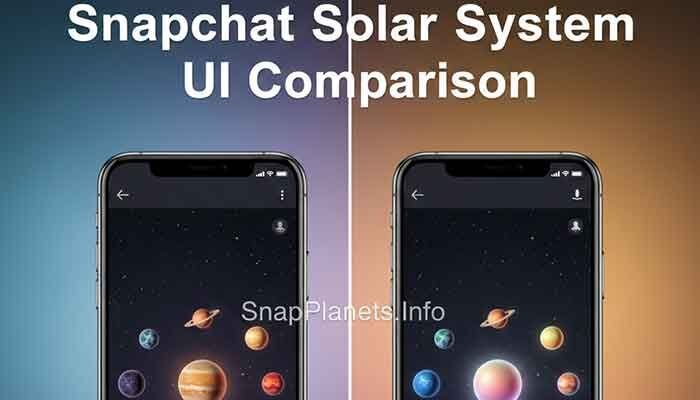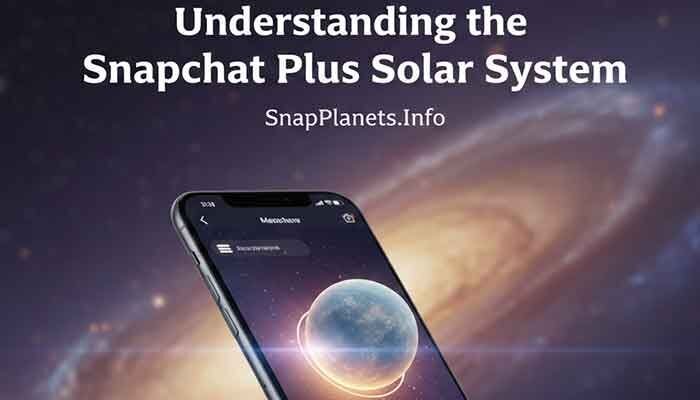
Want to see your Planet Rank on Snapchat? If you have Snapchat+ and you are in a friend’s Best Friends list, you can open their Friendship Profile and tap the Best Friends badge to see which planet you are. Snapchat’s Friend Solar System maps the eight Best Friends positions from Mercury through Neptune.
The important part is that a planet is a position in the Friend Solar System, not a public score that Snapchat lets you calculate. Snapchat confirms the Best Friends list is based on the people you Snap and Chat with most and can change regularly, but it does not publish a detailed point formula or fixed update schedule.
My Personal Experience with the Snapchat Solar System
Many Snapchat users become curious about the Solar System after seeing a planet appear on a Friendship Profile. It can be tempting to treat Mercury, Venus, or Neptune like a precise friendship score, but Snapchat presents the feature more simply: each planet represents a different position in a friend’s Best Friends list.
That distinction matters because online guides sometimes describe exact formulas, rolling averages, point values, or guaranteed time periods for changing planets. Snapchat does not publicly document those calculations. A change in your position can happen as Best Friends information changes, but there is no official calculator that tells you exactly when a friend will move from Mars to Mercury.
So, rather than trying to reproduce an unofficial algorithm, use the Solar System for what Snapchat says it is: a visual way to understand your position among a friend’s Best Friends. If you are checking your own planet, the steps below are the useful part.
Related guide: Can You Have Multiple Mercury Friends on Snapchat?
What Exactly is the Snapchat Solar System?
Friend Solar System is a Snapchat+ feature that shows your position among a friend’s Best Friends. Snapchat describes Best Friends as the people someone Snaps and Chats with the most. When you view the Best Friends badge on a Friendship Profile, tapping it can show which planet you are in that person’s Solar System.
Why Does Your Position Matter?
Your planet tells you which position you occupy in that friend’s Solar System. Mercury is the first position, while Neptune is the eighth. The planets therefore give you a quick visual reference for where you sit within that friend’s top eight Best Friends.
It does not mean that Mercury is a measure of how much someone cares about you, and Neptune does not mean a friendship is unimportant. The feature reflects Snapchat’s Best Friends system, not the overall quality of a real-world relationship.
Is it Private?
Snapchat says other people cannot see your complete Best Friends list. Friend Solar System instead lets a Snapchat+ subscriber see their own position when they tap the Best Friends badge on a Friendship Profile. That is different from being able to browse another person’s entire Solar System.
How to See Your Planet Rank: A Step-by-Step Guide
If you want to check your Planet Rank, the process is straightforward when Friend Solar System is available for your Snapchat+ account.
1. Ensure You Have Snapchat+
Friend Solar System is a Snapchat+ feature. Make sure you are signed in to the account that has Snapchat+. If you are a first-time Snapchat+ subscriber, remember that Snapchat says Solar System is off by default and can be enabled from Snapchat+ feature management.
2. Navigate to a Friend’s Profile
Open Snapchat and go to the Chat screen. Open the friendship with the person whose Solar System you want to check, then open their Friendship Profile. Snapchat’s support instructions describe the Best Friends badge as appearing on a Friendship Profile for eligible relationships.
3. Look for the “Best Friends” or “Friends” Badge
If the Solar System feature applies to the friendship, look for the Best Friends badge with its gold ring on the Friendship Profile. Snapchat says Best Friends are among the eight people you Snap and Chat with the most.
4. Tap the Badge
Tap the Best Friends badge. Snapchat says this reveals which planet you are in that friend’s Solar System, with each planet representing a different position in their Best Friends list. This is the key step for checking your Planet Rank.
If you cannot find the badge or Solar System, do not assume that you have been given a particular planet or that the feature has permanently disappeared. Check your Snapchat+ feature settings first, then update or restart the app if the feature is still missing.
Decoding the Planets: What is Your Snapchat+ Position?
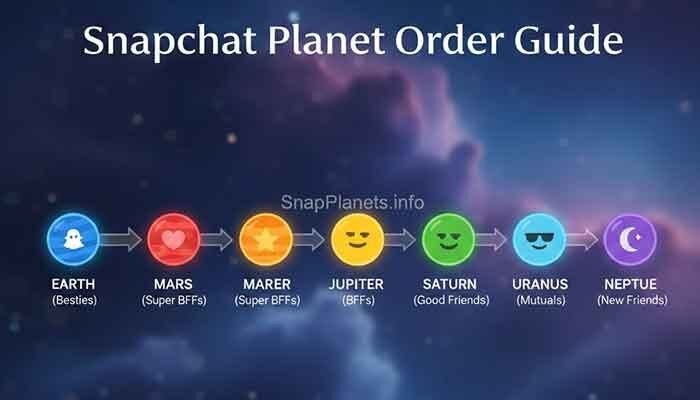
Once the planet appears, the next question is what it means. Snapchat’s Friend Solar System uses eight planets to represent the eight Best Friends positions. The order runs from Mercury at #1 through Neptune at #8.
Here is the complete order from the closest position to the furthest position:
The Inner Circle (The Top 4)
- Mercury: #1 Best Friends position.
- Venus: #2 Best Friends position.
- Earth: #3 Best Friends position.
- Mars: #4 Best Friends position.
The Outer Reach (The Top 5-8)
- Jupiter: #5 Best Friends position.
- Saturn: #6 Best Friends position.
- Uranus: #7 Best Friends position.
- Neptune: #8 Best Friends position.
Being Neptune does not mean you have been removed from the Best Friends group. Neptune is still the eighth position in the Solar System. Likewise, moving from Mercury to another planet should not automatically be interpreted as a statement about the friendship itself.
Comparison of Snapchat Planet Ranks
This quick table makes the planet order easier to remember when you check a Friendship Profile:
| Planet | Position | What it represents |
|---|---|---|
| Mercury | #1 | First Best Friends position |
| Venus | #2 | Second Best Friends position |
| Earth | #3 | Third Best Friends position |
| Mars | #4 | Fourth Best Friends position |
| Jupiter | #5 | Fifth Best Friends position |
| Saturn | #6 | Sixth Best Friends position |
| Uranus | #7 | Seventh Best Friends position |
| Neptune | #8 | Eighth Best Friends position |
Snapchat does not publish a separate numerical score for each planet. The safest interpretation is simply the position represented by the planet.
Why Can’t I See My Rank? (Troubleshooting with Martin)
If you expected to see a planet but cannot find one, check the feature itself before assuming something has changed in your friendship.
- Check Snapchat+: Confirm that you are using the account with an active Snapchat+ subscription.
- Check Solar System: Snapchat says Friend Solar System is off by default for first-time subscribers. Open Snapchat+ feature management and make sure it is enabled.
- Check the Friendship Profile: Open the relevant profile and look for the Best Friends badge.
- Update Snapchat: Install the latest available version if your app is outdated.
- Restart the app: Close and reopen Snapchat if the badge or planet is not loading correctly.
- Check your connection: A weak connection can prevent app features from loading normally.
Do not rely on claims that a missing planet automatically means you have dropped to Neptune, been removed from someone’s Best Friends, or reached a specific score. Snapchat does not document those conclusions as guaranteed rules.
FAQ: Your Burning Snapchat Solar System Questions
1. Does the other person know I checked my planet rank?
Snapchat’s Friend Solar System support page explains how to view your planet but does not state that opening the Best Friends badge sends a notification to the other person. Avoid assuming that a check automatically creates a notification unless Snapchat explicitly indicates one in the app.
2. Can I see who else is in their Solar System?
The Solar System feature is designed to show your position in the friend’s Best Friends list. Snapchat does not describe it as a tool for browsing every person in another user’s Best Friends list, so you should not expect to see their complete ranking.
3. How often do the planet ranks update?
Snapchat says Best Friends are updated regularly, but it does not publish a fixed number of hours or days for a planet to change. Because of that, claims such as “24 to 48 hours” should not be treated as an official Snapchat rule.
4. What if I have the badge but no planet appears?
First check that Solar System is enabled in Snapchat+ feature management. Then update Snapchat, restart the app, and check your connection. If the problem continues, use Snapchat’s in-app support options to report the issue rather than assuming your rank has been reset.
5. Why did I drop from Mercury to Mars overnight?
Best Friends can change as your Snapchat communication patterns change. Snapchat confirms that Best Friends are updated regularly, but it does not publish the exact calculation behind each position. So a planet change can be observed without knowing a specific score or action that caused it.
If you also use Friend Emojis, remember that they are a separate way Snapchat describes friendship activity. For example, the yellow heart means you are each other’s #1 Best Friend, while pink hearts indicate two months of being each other’s #1 Best Friend.
Martin’s Final Tip: Don’t Let the Planets Rule Your Life
The simplest way to use Friend Solar System is to treat it as a Snapchat feature, not a measurement of the value of a friendship. Mercury through Neptune represent positions among a friend’s Best Friends, and Snapchat does not present those positions as a complete picture of your relationship.
If you want your Best Friends position to change, use Snapchat naturally with the people you actually want to communicate with. Avoid chasing unofficial “planet hacks,” fixed Snap counts, or guaranteed timelines because Snapchat does not publish those formulas.
If you want to compare the planet system with other Snapchat friendship signals, our guides on Best Friends vs Planets and Friend Emojis vs Planets explain the differences.
Snapchat+ also lets subscribers privately pin one person as their #1 Best Friend, but only one person can be pinned at a time and only the subscriber can see who they pinned. That pin is separate from the Solar System’s planet positions.
For a practical guide to the feature itself, see our Snapchat Planets settings guide.