If Snapchat Planets are not showing, the first things to check are Friend Solar System, your Snapchat+ access, the Best Friends relationship, app updates, connection, and basic troubleshooting. Snapchat says Friend Solar System is off by default for first-time Snapchat+ subscribers, so the feature may simply need to be enabled.
Friend Solar System is a Snapchat+ feature that shows your position in another person’s Best Friends list through planet imagery. If the Solar System is available and you are included in that friend’s Best Friends list, tapping the Best Friends badge on their Friendship Profile can show your planet position.
Why are Snapchat Planets Not Showing? (6 Fixes)
Work through these six checks in order. The first fix is especially important because Snapchat currently keeps Friend Solar System turned off by default for first-time Snapchat+ subscribers.
1. The “Opt-In” Requirement (Biggest Fix!)
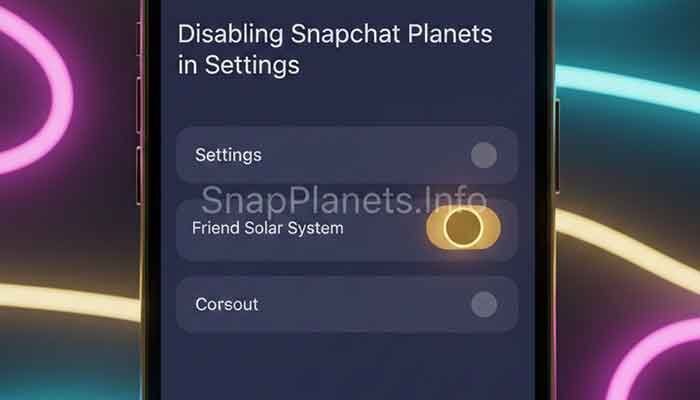
Snapchat currently says Friend Solar System is off by default for first-time Snapchat+ subscribers. Having Snapchat+ does not automatically mean the Solar System will be visible. You need to turn the feature on from Snapchat+ feature management.
- The Fix: Open your Snapchat Profile, open the Snapchat+ feature management area, find Friend Solar System, and turn it on.
The setting can be turned on or off at any time. If the feature was previously disabled, enabling it is the first thing to check before changing other settings.
2. You (or They) Don’t Have Snapchat Plus
Friend Solar System is part of Snapchat+. If you do not have access to Snapchat+, you will not have the Snapchat+ Solar System feature on your account. If you are checking a friend’s Friendship Profile, the relevant Solar System view also depends on the Snapchat+ feature being available to the account viewing it.
Snapchat also notes that Snapchat+ subscriptions stay on the account used to subscribe. If you use more than one Snapchat account, make sure you are signed into the account that has the subscription.
3. Lack of Mutual “Best Friend” Status
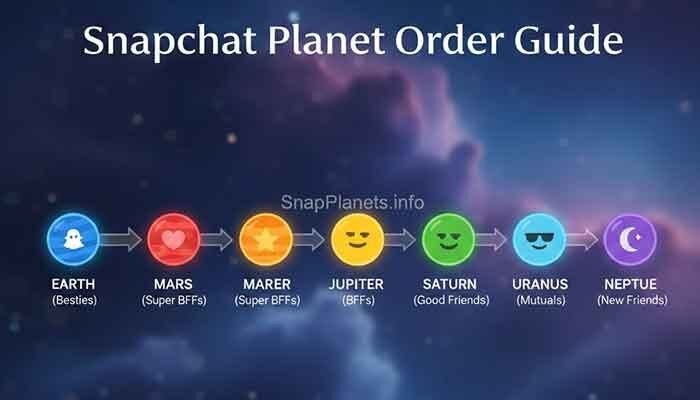
You do not need a manually assigned planet. Friend Solar System represents positions in a person’s Best Friends list. Snapchat says Best Friends are the people you Snap and Chat with the most, with up to eight Best Friends.
- Mercury: 1st Best Friend position
- Venus: 2nd position
- Earth: 3rd position
- Mars: 4th position
- Jupiter: 5th position
- Saturn: 6th position
- Uranus: 7th position
- Neptune: 8th position
If you are not among that person’s Best Friends, there may be no planet position for you to view. This does not mean that Snapchat has assigned a permanent friendship level or that your account is broken.
4. The Infamous “Snapchat Plus Glitch”
A temporary app problem can also stop a Snapchat+ feature from appearing correctly. Before assuming your planet ranking changed, completely close Snapchat and open it again. Snapchat’s own troubleshooting guidance also recommends restarting the device and checking the internet connection when a feature is not working correctly.
- The Fix: Close Snapchat completely, reopen it, and check the Friendship Profile again. If the problem continues, restart your phone and test the feature on a reliable Wi-Fi or mobile-data connection.
5. Outdated App Version
An outdated Snapchat app can cause current features or settings to behave differently from the latest version. Snapchat recommends updating the app when a feature is not working as expected.
- The Fix: Open the Apple App Store or Google Play Store, search for Snapchat, and install the latest available update if an Update button appears.
After updating, reopen Snapchat and check the Snapchat+ feature management settings and the relevant Friendship Profile again.
6. Cache Overload
Clearing Snapchat’s cache can be useful as a general troubleshooting step when parts of the app are behaving unexpectedly. It should not be treated as an official way to reset your Best Friends ranking or force a particular planet.
- The Fix: Open Snapchat Settings and use the app’s Clear Cache option. After clearing it, reopen Snapchat and check the Solar System again.
If clearing the cache does not help, move on to the other checks instead of repeatedly clearing it. Snapchat’s support guidance also recommends updating the app, restarting Snapchat or the device, and checking the internet connection.
Snapchat Planets: Ranking & Meaning Table
Once Friend Solar System is working, the planet tells you which position you hold in that friend’s Best Friends list. Snapchat’s documented order runs from Mercury at position one through Neptune at position eight.
| Planet | Best Friends Position | Meaning |
|---|---|---|
| Mercury | 1st | First position |
| Venus | 2nd | Second position |
| Earth | 3rd | Third position |
| Mars | 4th | Fourth position |
| Jupiter | 5th | Fifth position |
| Saturn | 6th | Sixth position |
| Uranus | 7th | Seventh position |
| Neptune | 8th | Eighth position |
A planet is a position indicator, not a published friendship score. Snapchat does not provide a fixed number of Snaps, Chats, streaks, or points that guarantees a specific planet. Your Best Friends can change over time as your Snapchat activity changes.
Related guide: How to Reset Snapchat Planets for more troubleshooting information.
Frequently Asked Questions
Q: Can my friends see my Solar System?
Friend Solar System shows your position when you view the relevant friend’s Best Friends list. It does not provide a public page showing your complete Best Friends list to everyone. Snapchat describes the feature as a way for a Snapchat+ subscriber to see which planet position they hold in another person’s Solar System.
Q: Why did my planet change from Mercury to Venus?
Your planet represents a position in that person’s Best Friends list. Because Snapchat says Best Friends can change over time based on how you use Snapchat, your position can change as the list changes. Snapchat does not publish an exact formula for how many interactions cause a particular move.
Q: I have Snapchat+ but there’s no “Best Friends” badge on anyone’s profile?
First, check that Friend Solar System is enabled in your Snapchat+ feature management settings. Remember that Snapchat says Solar System is off by default for first-time Snapchat+ subscribers. If it is enabled, update Snapchat, restart the app, check your connection, and confirm that the person is among the relevant Best Friends positions.
If the badge still does not appear, the feature may be temporarily unavailable or not displaying correctly. Snapchat recommends reporting a bug through Settings > Support & Safety > Bugs and Suggestions > Report a Bug when standard troubleshooting does not solve a feature problem.
Q: Does the Solar System work on Android?
Friend Solar System is a Snapchat+ feature, and Snapchat’s current support documentation does not describe it as an iPhone-only feature. If it is missing on Android, use the same troubleshooting steps: update Snapchat, restart the app and device, check your connection, and verify that Friend Solar System is enabled.
Martin’s Final Tip
When Snapchat Planets are not showing, start with the simplest explanation: check whether Friend Solar System is enabled. Snapchat currently keeps the feature off by default for first-time Snapchat+ subscribers, so this setting is easy to miss.
If the setting is already on, work through the remaining checks: confirm Snapchat+ access, make sure the relevant Best Friends position exists, update the app, restart Snapchat and your phone, check your connection, and clear the cache if needed.
Do not rely on unofficial planet-score charts or claims that a certain number of Snaps will instantly move you to Mercury. Snapchat has not published a fixed planet-point formula. The documented part is simple: Friend Solar System visually represents positions in a Best Friends list.
Related guides: Who Can See Your Snapchat Planets?, Snapchat Top 8 Friends, Snapchat Plus FAQ, and How to Turn Off Snapchat Planets.