Does Snapchat notify when you check planets? Snapchat does not document a notification that alerts someone simply because you open their Friendship Profile and view a Friend Solar System planet badge. However, Snapchat can change its features, so avoid treating this as a guarantee about every future app version or every other profile action.
This guide explains the current Friend Solar System, what the Best Friends and Friends badges mean, how it differs from other Snapchat+ features, and what to check if a planet is missing.
My Personal Experience with Checking Planet Ranks
It is common to wonder whether viewing a planet badge leaves a trace. The safest approach is to understand what the feature is designed to show and not confuse it with Story views, screenshots, location sharing, or other actions that may have their own visibility rules.
Snapchat does not publish a general personal-profile visitor list that shows every person who opens a profile. Still, features and notification behaviour can change, so check Snapchat’s current help information if a specific action matters to your privacy.
Related guide: New Snapchat Planets and Pluto rumours.
Does Snapchat Notify When You Check Planets? (The Deep Dive)
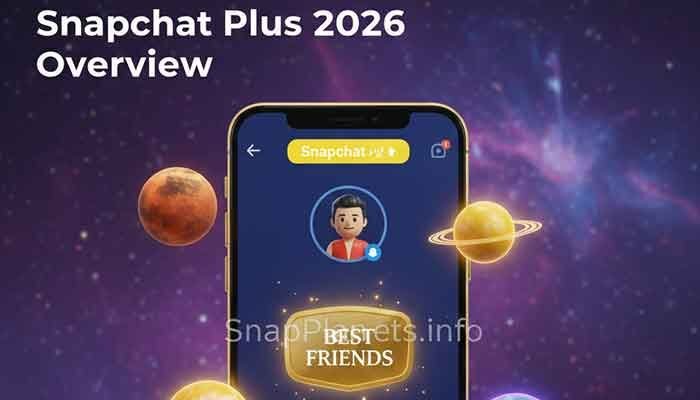
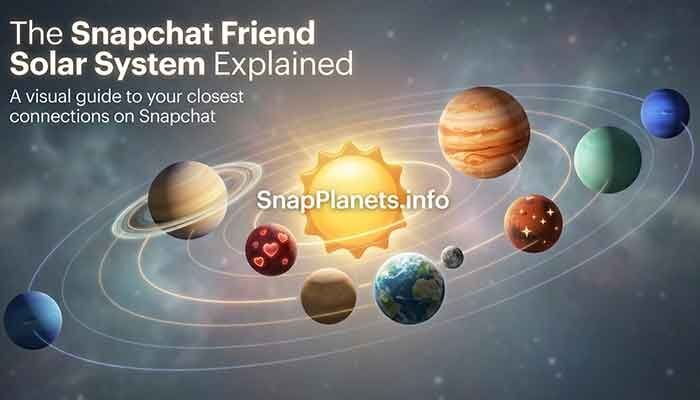
Friend Solar System is a Snapchat+ feature that represents your relative position in another person’s Best Friends ranking. When available and enabled, you can tap the Friendship Profile badge to view the planet associated with your position. Snapchat’s public feature description does not identify a dedicated notification for simply viewing that planet badge.
Why It’s Private
Viewing a Friendship Profile badge is different from interacting with a Story, taking a screenshot, or sharing a location. Do not assume that all Snapchat actions have the same privacy rules.
- Planet badge: Snapchat does not document a dedicated alert for simply viewing the Friend Solar System position.
- Profile views: Snapchat does not provide a general list of everyone who has visited a personal profile.
- Other actions: Story views, screenshots, and location-sharing features have separate behaviour. Check the relevant feature’s current settings and help information.
The Difference Between “Best Friends” and “Friends” Badges
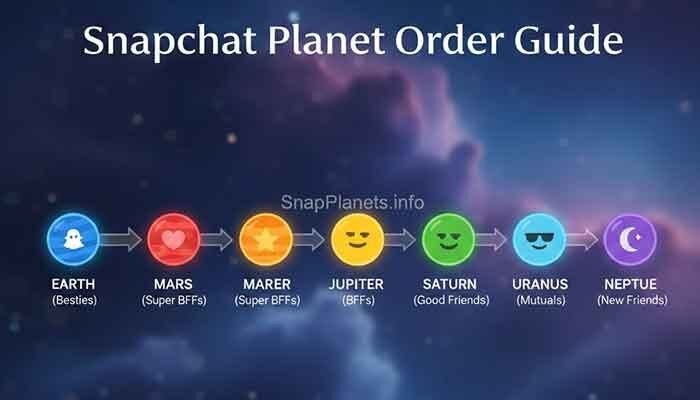
Snapchat’s Friend Solar System can display different badges on a Friendship Profile. The Best Friends badge indicates that you and the other person are in each other’s Best Friends lists. The Friends badge indicates that the other person is among your Best Friends, but you are not currently among theirs. Availability depends on the feature and settings.
- Best Friends badge: You are in each other’s Best Friends lists.
- Friends badge: The other person is in your Best Friends list, but you are not in theirs.
These badges describe app rankings only. They do not prove who cares more about a friendship or explain the full context of your relationship.
Snapchat Plus Privacy: What CAN They See?
Snapchat+ includes several features that show different kinds of information. Viewing a planet badge should not be confused with the Story Rewatch Indicator or location-related features. Their availability and behaviour may depend on settings, subscription status, and app version.
The Rewatch Indicator
The Story Rewatch Indicator is a Snapchat+ feature that can show how many friends have rewatched a Story. It is not a planet-view tracker and should not be interpreted as a list identifying everyone who opened a Friendship Profile. Check the current in-app explanation for the exact information shown in your version.
Ghost Trails
Ghost Trails has been associated with Snapchat+ location features on Snap Map. Location visibility depends on the relevant feature, location-sharing permissions, and availability. Do not assume that looking at a location display follows the same rules as viewing a planet badge; review Snap Map and Snapchat+ settings before sharing location information.
The Solar System Order Table
The standard Friend Solar System order runs from Mercury (#1) to Neptune (#8). Here is a quick reference:
| Planet | Position |
|---|---|
| Mercury | #1 |
| Venus | #2 |
| Earth | #3 |
| Mars | #4 |
| Jupiter | #5 |
| Saturn | #6 |
| Uranus | #7 |
| Neptune | #8 |
How to Check Ranks Without Feeling Like a Stalker
You can use the feature without treating the ranking as a judgement about your friendship. Keep these practical points in mind when you open a Friendship Profile.
1. Wait for the “Chat” Moment
You do not need to time a planet check around a conversation. If you choose to view the badge, remember that the ranking is only an app indicator and cannot tell you everything about the friendship. Avoid repeatedly checking if doing so makes you anxious.
2. Check the “Mutual” Status
The badge type can tell you whether the Best Friends status is mutual in the feature. A changed badge may reflect a change in ranking or feature availability, but it does not reveal the exact cause. Snapchat does not publish the complete ranking formula or a guaranteed update schedule.
3. Remember the “Privacy Toggle”
Friend Solar System can be toggled in Snapchat+ settings. It is off by default for first-time Snapchat+ subscribers. Open your profile, enter Snapchat+ settings, and look for Solar System. The wording or layout may vary by app version.
FAQs: What the Internet Is Asking
1. Can I see who checked my planet rank on Snapchat?
Snapchat does not document a feature that lists people who viewed your Friend Solar System planet badge. Because features can change, check current Snapchat help information for the latest privacy details.
2. Does the other person need Snapchat Plus for me to see my rank?
Friend Solar System is a Snapchat+ feature, and its visibility depends on feature availability and settings. If the badge does not appear, check whether Snapchat+ is active where required and whether Solar System is enabled. Do not assume every account will display the same badge.
3. Why did my planet change from Mercury to Mars overnight?
Your displayed position can change as the Best Friends ranking changes, but Snapchat does not publish the full formula or a guaranteed refresh interval. A change alone cannot tell you which interaction caused it. A Snapstreak does not guarantee a particular planet position.
4. Is the planet rank based on Snap Score?
Snapchat does not publicly disclose the exact scoring formula for Friend Solar System positions. Snap Score and planet ranking are different displays, so you should not infer a planet position from someone’s Snap Score or claim a known point-by-point relationship between them.
5. Can I hide my own solar system?
You can turn Friend Solar System off in Snapchat+ settings. Open your profile, go to Snapchat+, and find the Solar System option. Settings labels can change between app versions, so use the current in-app menu as your guide.
Martin’s Final Tip
Friend Solar System is a visual ranking feature, not a measure of your value as a friend. Snapchat does not document a dedicated notification for simply viewing a planet badge, but keep in mind that other actions—such as interacting with Stories or sharing location—have their own rules.
For more details, read our guides to Snapchat Plus planet colors, Snapchat planet hearts meaning, new Snapchat planets, and Saturn on Snapchat.