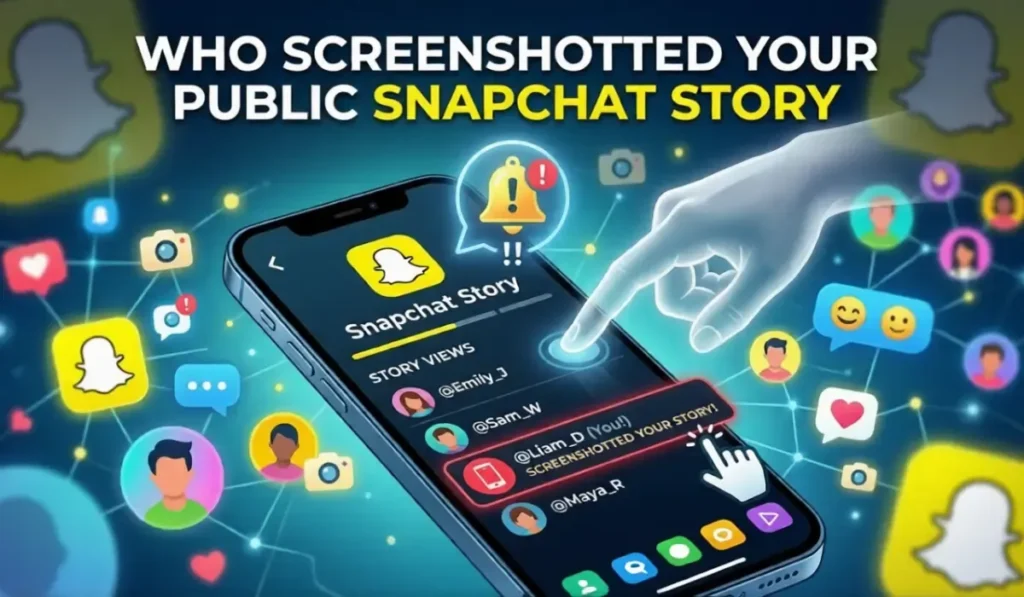
If you are wondering how to see who screenshotted your public Snapchat Story, the key point is that Snapchat gives you Story viewer information, but the exact screenshot details available can depend on the type of Story and the current app experience.
Snapchat’s current support documentation confirms that Story creators can view public Story viewers and that saving a Snap can generate a screenshot icon in the poster’s read receipts. However, older guides often describe screenshot behavior more broadly than Snapchat’s current documentation supports.
This guide explains how to check your Story activity, what Snapchat currently confirms, what the screenshot indicator means, what you can and cannot see after a Story expires, and how to limit unwanted exposure.
How to see who screenshotted your story on snapchat
Open the Story you posted and check its viewer or insights screen while the Story information is available. Snapchat’s current support pages confirm that you can open a public Story Snap and swipe up to view Insights and Replies, including the people who viewed it.
If Snapchat displays a screenshot indicator next to a viewer or in the Story’s read receipts, that indicates the Snap was saved or screenshotted according to Snapchat’s notification system. The exact icons and layout can change with app updates.
Do not rely on older articles that promise a complete list of every person who may have captured a public Story. Snapchat’s current public documentation does not describe a universal method for identifying every possible capture.
Does Snapchat Notify You When Someone Screenshots Your Story?
Snapchat can show a screenshot indicator when a Snap is saved. Snapchat Support specifically says that when a Snap is saved, the person who posted it is notified by a screenshot icon in their read receipts.
That is different from claiming that Snapchat will always identify every person who captures every type of public content. Public Stories can be viewed by friends, followers, and other Snapchatters, and the information shown to the creator depends on Snapchat’s current Story and account features.
So the safest way to understand the feature is this: check the Story’s viewer or insights area for the screenshot indicator that Snapchat provides, but do not assume the list represents every possible copy or capture.
Snapchat also offers separate Story View Notifications for Snapchat+ subscribers. That feature is about being notified when selected friends view a Story; it is not a screenshot detector.
How to See Who Screenshotted Your Snapchat Story
The exact buttons can move as Snapchat updates its interface, but the basic process is straightforward.
Step 1: Open the Snapchat App
Open Snapchat on your iPhone or Android phone and sign in to the account that posted the Story.
Step 2: Go to Your Profile
Tap your profile or Bitmoji icon to open your account area. Snapchat’s support documentation says your Profile screen is where you manage Stories and see Story activity.
Step 3: Find Your Story
Open the Story or individual Snap whose activity you want to check. If you posted to a Public Story, use the public Story entry associated with your Public Profile.
Step 4: Swipe Up to See Viewers
Open the Story Snap and swipe up to access the available viewer information or Insights and Replies. Snapchat says public Story viewers can include friends, followers, and other Snapchatters.
Step 5: Look for the Screenshot Icon
Check the viewer or read-receipt information for a screenshot indicator. If Snapchat shows that indicator next to a person or on the relevant Snap, it means Snapchat has registered the save or screenshot event.
If no screenshot indicator appears, that does not prove that nobody has ever captured the content. Snapchat’s indicator only tells you what the app has registered and displayed to you.
How to See Who Screenshotted Your Public Snapchat Story — The Honest Truth
Public Stories work differently from Stories shared only with friends because a public Story can reach a much wider audience. Snapchat says that a public My Story can be viewed by friends, followers, and other Snapchatters, depending on the account and age-related settings.
That wider audience is important when thinking about screenshots. A creator should not assume that the viewer list or screenshot indicators provide a complete record of every copy someone could make.
Snapchat’s current support documentation does not establish a universal rule that every non-friend screenshot is always anonymous, nor does it promise that every capture method will be detected.
If privacy is important, treat anything posted publicly as content that could potentially be saved or shared. Snapchat itself warns that people who can view Stories may screenshot or screen record them.
What Does the Screenshot Icon Look Like on Snapchat?
Snapchat uses a screenshot indicator in its read receipts and Story-related activity. The exact appearance can change between app versions and content types, so older descriptions of a specific double-arrow design should not be treated as a permanent interface rule.
The important part is the function: when Snapchat displays its screenshot or save indicator, it is telling you that the app registered the relevant capture or save event.
If the icon is missing, avoid assuming that the viewer definitely did not save anything. The indicator is not a guarantee that Snapchat can detect every possible way someone could copy content.
Can You See Who Screenshotted Your Story After It Expires?
Story availability changes after a Story expires. Snapchat’s support documentation explains how to manage active Stories and how public Stories work, but the exact amount of historical viewer information available can depend on the Story type and account features.
For that reason, do not assume that every viewer or screenshot detail will remain available indefinitely after the Story disappears. If you need to review Story activity, check it while the relevant Story and its insights are still available in the app.
Some Stories can also be saved to Memories or a Public Profile, but saving a Story does not mean Snapchat will preserve every viewer or screenshot detail forever.
Why Can’t You See Who Screenshotted Your Public Snapchat Story?
If you expected to see a name but cannot, several explanations are possible. The most important one is that Snapchat’s screenshot indicator is not a universal forensic record of every copy made from a public post.
Reason 1: Snapchat did not register the capture. Different forms of copying or recording may not produce the same in-app indicator.
Reason 2: You are checking a different Story type. Public Stories, friends-only Stories, Private Stories, and content saved to a Public Profile can have different viewer experiences.
Reason 3: The Story information is no longer available. Older activity may not remain visible in the same way after the Story’s active period.
Reason 4: The app interface has changed. Snapchat regularly updates its layout and features, so a screenshot tutorial from an older version may no longer match your screen.
If the feature appears to be missing, update Snapchat, restart the app, and check the Story again. If the problem continues, use Snapchat’s in-app support options to report a bug.
Does Snapchat Notify When You Screenshot a Story? (From the Other Side)
If you screenshot another person’s Snapchat content, you should assume that Snapchat may register and display a screenshot notification or indicator. Snapchat’s support documentation specifically says that when a Snap is saved, the person who posted it is notified by a screenshot icon in read receipts.
The exact behavior can depend on the type of content and the current app version. A public Story should not be treated as content that is guaranteed to be invisible when saved.
The safest approach is simple: if you would not want the creator to know that you saved their content, do not assume Snapchat will keep the action hidden.
How to Screenshot on Snapchat Without Them Knowing — What Actually Works (And What Doesn’t)
There is no official Snapchat setting that guarantees a screenshot can be taken without the other person knowing. Methods found in older online guides can stop working after app or operating-system updates.
Using another device to photograph a screen is technically outside Snapchat’s screenshot detection because the capture happens on a separate device. That does not make the content private or give you permission to save and share it.
Method 1: Using Another Device to Photograph the Screen
A second device can capture what is displayed on the first device, but Snapchat cannot promise to detect every external camera capture. If you are saving someone else’s content, respect their privacy and any restrictions that apply to the material.
Method 2: Airplane Mode
Airplane Mode is an old workaround frequently mentioned online. It is not a reliable Snapchat-supported way to prevent screenshot indicators. App behavior can change when the device reconnects, so you should not depend on this method.
Method 3: Screen Recording
Screen recording behavior can vary by device, Snapchat version, and content type. Snapchat may detect or restrict some recording activity, so there is no reliable universal method that guarantees the creator will not receive an indication.
If you need a copy of content for a legitimate reason, the better option is to ask the creator or use Snapchat’s own saving and sharing features where available.
How to Protect Your Public Story from Screenshots
You cannot guarantee that a public Story will never be copied. The best protection is to control who can access sensitive content and avoid posting anything publicly that you would not want someone to save.
Option 1: Switch to a Private Story
Private Stories let you choose which friends can view the Story. Snapchat says that viewers of a Private Story can still screenshot or screen record it, so private does not mean impossible to copy.
Option 2: Adjust Your Story Privacy Settings
For My Story, open Snapchat Settings, go to App & Privacy → My Privacy & Data → View My Story, and choose the audience options Snapchat provides, such as My Friends or Custom. Snapchat also provides a separate My Story · Public option for wider sharing.
Option 3: Avoid Posting Sensitive Content Publicly
The strongest privacy step is to avoid putting sensitive photos, personal information, documents, or private conversations on a public Story. Once something is visible to a wider audience, you cannot fully control what viewers do with it.
Option 4: Use Snapchat+
Snapchat+ includes Story-related features, but it does not turn screenshot detection into a complete monitoring system. For example, Story View Notifications can alert you the first time selected friends view a Story, while Story Rewatch shows how many friends rewatched a Story. These features are different from screenshot detection.
Option 5: Block or Remove Suspicious Users
If you do not want a particular person interacting with your account, use Snapchat’s available friendship, blocking, and privacy controls. Remember that Snapchat says people you block can still be able to view content you post publicly, so blocking should not be treated as a guarantee that all public content becomes invisible to that person.
What to Do If Someone Screenshots Your Story Without Permission
If Snapchat shows that someone saved or screenshotted your content and you are uncomfortable with it, first review your audience settings and decide whether you want that person to have future access.
You can remove or block users through Snapchat’s account controls where appropriate. If someone reposts your content in a way that violates Snapchat’s rules or creates a safety problem, use Snapchat’s reporting tools.
If the screenshot involves harassment, threats, intimate content, impersonation, or another serious safety issue, preserve relevant evidence and use Snapchat’s safety and support channels. Do not rely only on the screenshot indicator to solve the problem.
For future posts, consider using a smaller audience or Private Story for anything you would not want widely saved or shared.
People Also Ask — Snapchat Screenshot FAQs
Q: How do I see who screenshotted my Snapchat story?
Open your Story, view the available viewer information or Insights, and check for Snapchat’s screenshot indicator. The exact interface can vary by Story type and app version.
Q: Can you see who screenshotted your public Snapchat story?
Snapchat can display screenshot or save indicators, but its current support documentation does not promise that creators can identify every person who captures every public Story. Public Story viewers can include friends, followers, and other Snapchatters.
Q: Does Snapchat notify when you screenshot a story?
Snapchat can notify the person who posted content when a Snap is saved, using a screenshot icon in read receipts. Exact behavior can depend on the content and current app experience.
Q: Does Snapchat tell you when someone screenshots your story?
When Snapchat registers a screenshot or save event, it can display a screenshot indicator. It should not be treated as a guarantee that every possible external capture will be detected.
Q: Can you see who screenshotted your story after it expires?
Do not assume that all Story viewer and screenshot information remains available indefinitely after expiration. Check the Story activity while it is available in Snapchat.
Q: How to screenshot Snapchat chat without notification?
There is no official Snapchat setting that guarantees a screenshot of Chat content will remain unreported. Avoid relying on old workarounds because Snapchat and device behavior can change.
Q: How to screenshot on Snapchat without them knowing?
There is no reliable, Snapchat-supported method that guarantees the other person will not be notified. Respect the other person’s privacy when saving their content.
Q: What does the screenshot icon look like on Snapchat?
Snapchat uses a screenshot indicator in its read receipts and related activity. Its exact appearance can change, so use the current icon shown in your app rather than relying on an old screenshot guide.
Q: Can I turn off screenshot notifications on Snapchat?
Snapchat does not provide a standard setting that lets you disable another person’s screenshot indicator for your content. Privacy settings control who can view your Stories, not whether Snapchat records a supported screenshot event.
Q: Why can’t I see who screenshotted my public story?
The app may not have registered the capture, the relevant Story information may no longer be available, or the current interface may not expose the detail you expected. Public Stories can also reach a wider audience than friends.
Q: Does Snapchat notify you when someone screen records your story?
Do not assume that every screen recording will produce the same notification as a normal screenshot. Detection can depend on the device, app version, and content type.
Q: Is there any way to prevent people from screenshotting my Snapchat story?
You cannot completely prevent viewers from copying content they can see. The best protection is to limit your audience and avoid posting sensitive material publicly.
Conclusion
To check screenshot activity on Snapchat, open the relevant Story and review its viewer information or Insights. If Snapchat has registered a save or screenshot event, it may show a screenshot indicator in the available read receipts or Story activity.
The important distinction is that an in-app screenshot indicator is not the same as a complete record of every copy someone could make. Public Stories can reach friends, followers, and other Snapchatters, so creators should treat public content as potentially shareable.
If privacy matters, use the audience controls Snapchat provides and keep sensitive content away from public Stories. Snapchat’s current support information also makes clear that even Private Story viewers can screenshot or screen record what they can see.
For more Snapchat guides, see our articles on Snapchat Story Views, the Snapchat Green Dot, Snapchat Plus, and Snapchat Best Friends vs Planets.